Module 16: Compression
Compression is the negotiation between model footprint and model quality. Every technique here (pruning, distillation, low-rank approximation) buys memory and bandwidth savings at some cost to accuracy, and hardware only cashes the savings when the sparsity pattern matches what the silicon can skip. The ratio is the thing; this module makes it measurable.
OPTIMIZATION TIER | Difficulty: ●●●○ | Time: 5-7 hours | Prerequisites: 01-14
Prerequisites: Modules 01-14 means you should have:
- Built tensors, layers, and the complete training pipeline (Modules 01-08)
- Implemented profiling tools to measure model characteristics (Module 14)
- Comfort with weight distributions, parameter counting, and memory analysis
If you can profile a model’s parameters and understand weight distributions, you’re ready.
Overview
A modern language model takes 100GB of storage. A phone gives you less than 1GB. A microcontroller gives you under 100KB. The model that wins the benchmark and the model that ships are not the same artifact — and the gap between them is what compression closes.
Compression techniques test whether a model can represent the task with fewer active weights or a smaller architecture. You implement magnitude pruning and work with the supplied structured pruning, distillation, and low-rank approximation. TinyTorch pruning zeros weights without shrinking dense arrays; SVD savings require retaining and executing the factors. Measure accuracy after each change.
Commands
# first time
tito module start 16

# later sessions
tito module resume 16

# when your tests pass
tito module complete 16
Your notebook is modules/16_compression/compression.ipynb.
Learning objectives
- Implement magnitude-based pruning to zero 80-90% of small weights, then measure what it cost in accuracy
- Master structured pruning that creates hardware-friendly sparsity patterns by zeroing entire channels
- Run the supplied knowledge distillation code and measure the student’s size and accuracy
- Understand compression trade-offs between sparsity ratio, inference speed, memory footprint, and accuracy preservation
- Analyze when to apply different compression techniques based on deployment constraints and performance requirements
What you’ll build
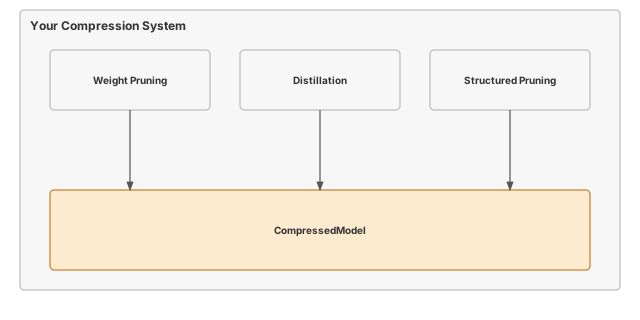
The pattern you’ll enable:
# Compress a model by removing 80% of smallest weights
magnitude_prune(model, sparsity=0.8)
sparsity = measure_sparsity(model)  # Returns ~80%
What you’re not building yet
To keep the module focused, you will not implement:
- Sparse storage formats like CSR (PyTorch provides
torch.sparselayouts) - Iterative prune-and-fine-tune schedules
- Dynamic pruning during training via hooks and callbacks
- Joint quantization + pruning pipelines
You are building the algorithms that decide which weights to remove and how. Sparse execution or structural compaction requires additional implementation. Module 17 compares dense vectorization and tiling; it does not provide sparse kernels.
What you write
The notebook arrives with the surrounding code already written and explained. You write one function, each marked # YOUR CODE HERE and followed by a test cell:
magnitude_prune- Remove weights with smallest magnitudes to achieve target sparsity.
How you know it works
tito module complete stops at the first step that fails:
- the unit tests inside your notebook run;
- your code is exported into
tinytorch.perf.compression; - the integration tests run against that exported package, together with the modules before it;
- the module is recorded as done, and
tito module statusshows it.
Unit tests in your notebook (6). Each prints a ✅ line when it passes.
- Sparsity Measurement
- Magnitude Pruning
- Structured Pruning
- Low-Rank Approximation
- Knowledge Distillation
- Comprehensive Model Compression
Integration tests after export (23).
tests/16_compression/test_compression_integration.pytests/16_compression/test_compression_source.pytests/16_compression/test_compressor_core.pytests/16_compression/test_distillation_training.pytests/16_compression/test_pruning_contracts.py
When it fails
A bare NotImplementedError with no message means a cell reached a function you have not written yet: the notebook ships each one as # YOUR CODE HERE followed by raise NotImplementedError(). The messages below are ones this module actually prints when an implementation is present but wrong.
Large weights should survive-
From
test_unit_magnitude_prune. The largest weights were pruned. Sort magnitudes in ascending order and zero the firstprune_count. Expected ~50% sparsity, got 33.33333333333333%-
From
test_unit_magnitude_prune. Biases were counted as prunable. Prune only weight matrices, the parameters withndim > 1.
Finished? Read why
The reasoning behind this module (why it is built this way, what it costs, and how production frameworks differ) is the chapter Model Compression: Pruning, Low-Rank SVD, and Distillation in the companion book, TinyTorch: From Tensors to Transformers (PDF). The book prints complete reference implementations, so read it after you finish the module, not while you are working on it.
What’s next
You have measured sparsity and explored smaller representations. Module 17 examines dense execution costs through vectorization, tiling, and grouped expressions. Your pruned weights retain their dense shape and still participate in multiplication.
Next: Module 17: Acceleration
How later modules use this one
| Module | What It Does | Your Compression In Action |
|---|---|---|
| 17: Acceleration | Optimize computation kernels | Compare dense implementations; masked zeros still execute |
| 18: Memoization | Cache repeated computations | Measure model allocations separately from cache bytes |
| 19: Benchmarking | Measure end-to-end performance | Confirm pruned models keep dense throughput until sparse kernels exist |